i-medical · Independent client engagement
Making radiology assignment rules visible.
I designed the controls for routing radiology exams to doctors. Administrators needed to manage availability, workload limits and reporting deadlines within an existing clinical platform.
Workflow orchestration · 2025
Follow-on messaging refresh · 2026
Try the design
See how an exam gets assigned.
 Try the interactive demo ↗
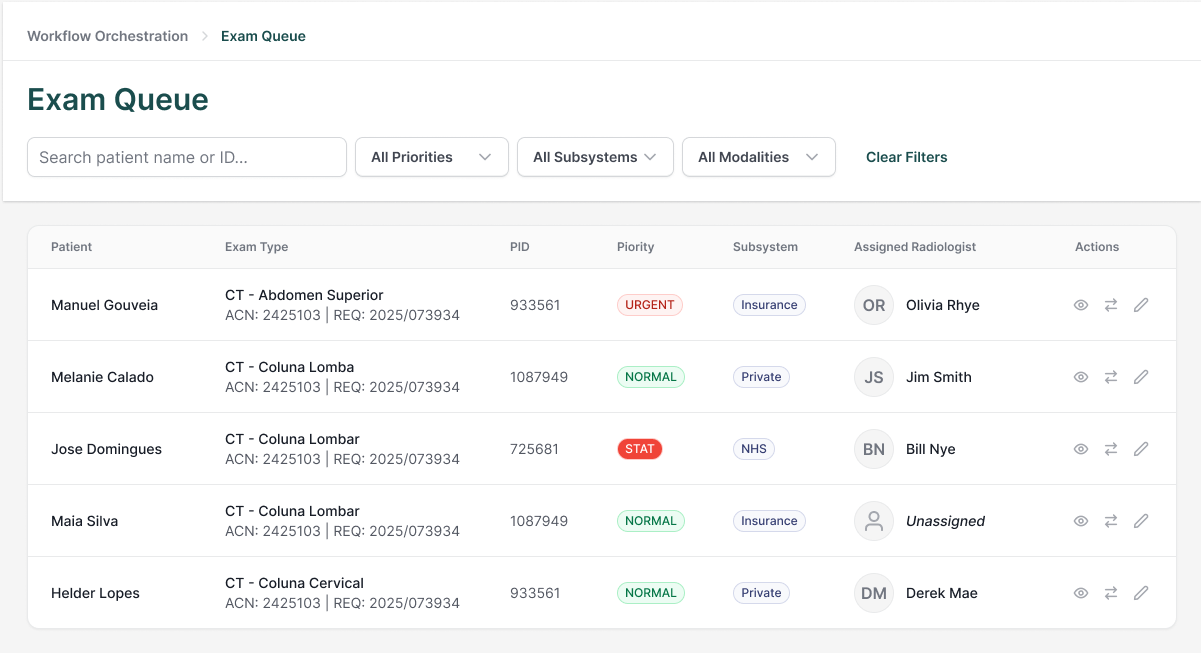
 I recreated the exam queue from the design files. Try the filters, run the routing demo or change a radiologist. All records and assignment outcomes are fictional.
All names and records shown in the designs are fictional. The figures above describe the scope of the design work.
The brief
An exam needs the right doctor before its deadline.
i-medical supplied requirements for an orchestrator that assigns radiology exams automatically. Each assignment had to account for the exam type, the doctor's availability and limits, the institution's reporting deadline, and whether the exam belonged to an insurance, private or public-health system.
Administrators needed to set those rules, check the queue and change an assignment when necessary. I started with the navigation and wireframes, then worked through selected screens in high fidelity.
Decision 01
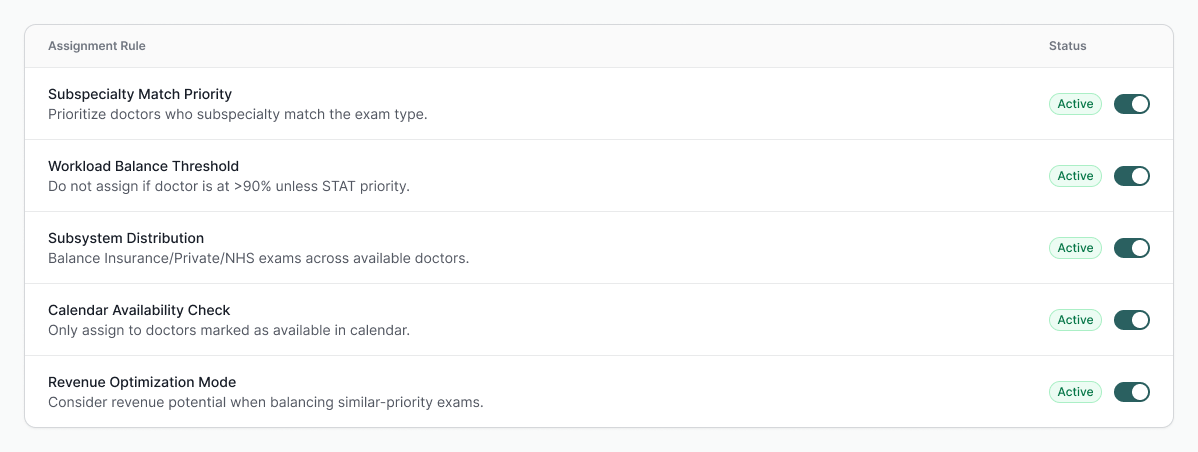
I gave assignment rules their own screen.
I organized the work around the exam queue, doctor management, rule configuration, delivery timing and analytics.
In the queue, administrators can check urgency and see who has each exam. I put the assignment rules on a separate screen so there was room to explain what each rule does.
Decision 02
A doctor's schedule needs room for exceptions.
Try the schedule exception demo in a new tab ↗
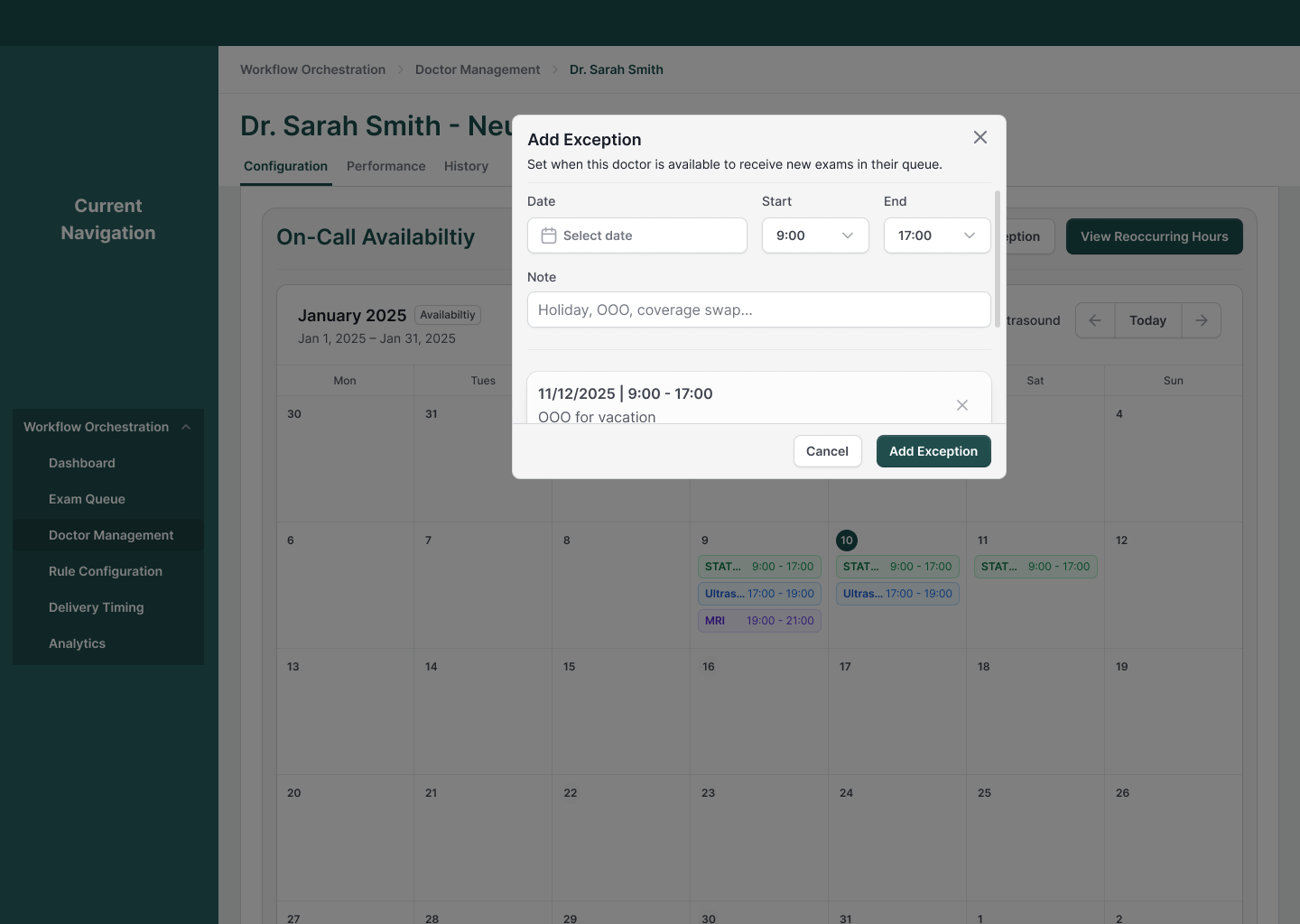
I designed recurring hours alongside date-specific exceptions, with a calendar to show when a doctor can receive exams.
The exception flow includes a date, start and end times, and a note. That gives administrators a place to record a holiday or coverage change without rewriting the recurring schedule.
Decision 03
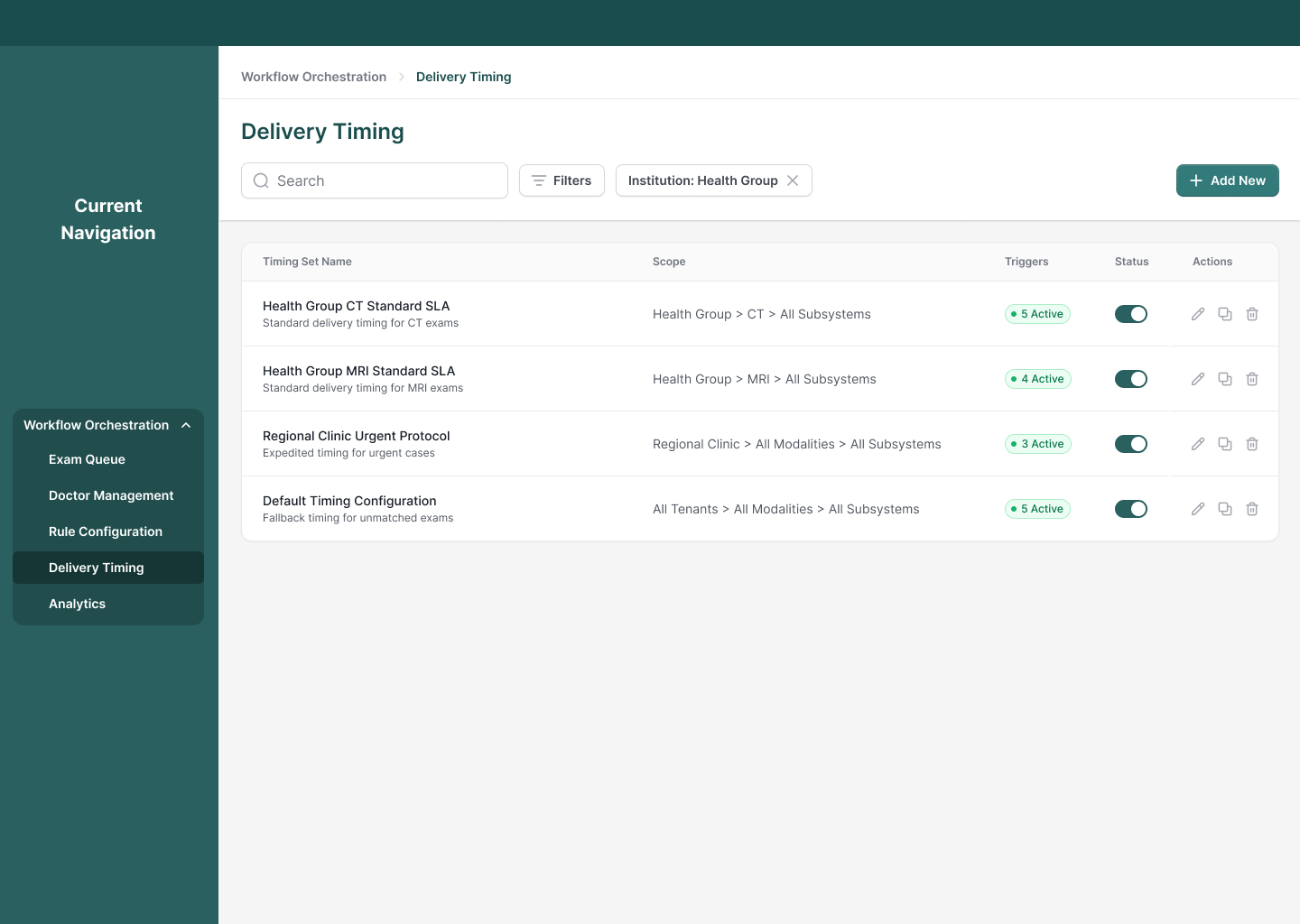
I made it clear where each deadline applies.
An institution can set reporting deadlines by modality and exam type. I put delivery timing on its own screen. Each timing set shows where it applies, how many triggers are active and whether the set is enabled.
The requirements also called for notifications and reassignment before a deadline. I kept those settings with the delivery rules so administrators could configure them together.
I couldn't answer every question from competitor material.
I reviewed public material for Philips, Siemens and Intelerad. I didn't have direct access to their tools, so I could only compare what they documented about routing, workload and deadlines.
I still had questions about doctor earnings, insurance-based routing and approval for extra exams. The available documentation wasn't enough to confirm how each platform handled them.
Formal user testing wasn't part of the agreed scope. I'd want to watch administrators work through an assignment and a schedule exception before calling those flows validated.
Follow-on work · 2026
I also refreshed messaging inside the existing product.
For the smaller messaging refresh, I kept the floating panels and worked on navigation, unread indicators, message previews and support-ticket states.
I added labels to the launcher and a menu for starting a conversation or requesting support. Both stay within the existing clinical interface.
Working through a similar product?
I work with teams that need to make complex rules and dense interfaces easier to use. Tell me what you're building and where the workflow gets difficult.
Tell me about your project